Troubleshooting Nearby
Fix common problems with invitations, codes, browser joining, map movement, location sharing, or notifications.
Quick answer
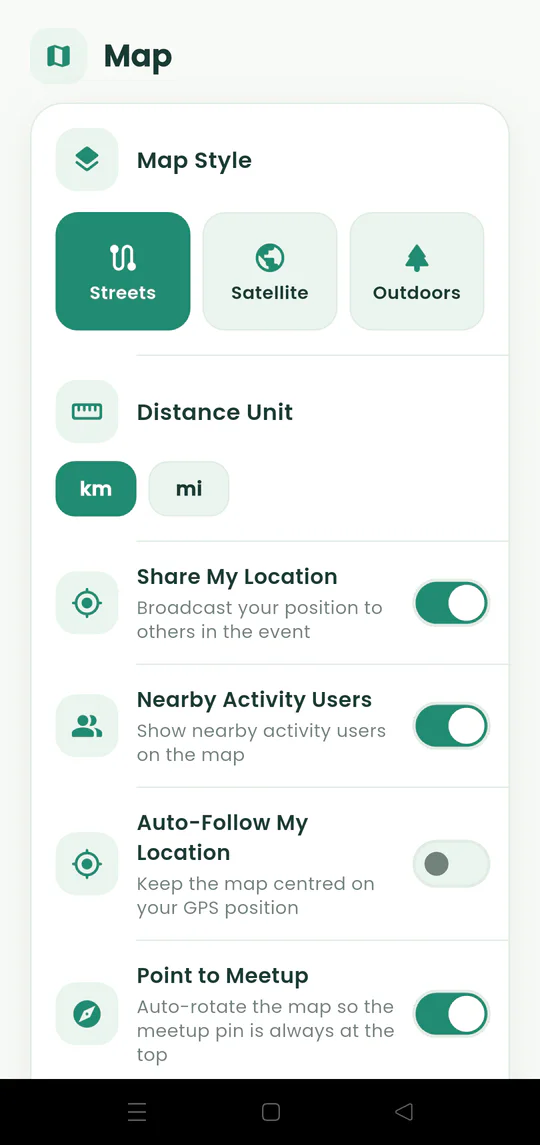
Check that the invitation belongs to the active meetup, internet access is working, location permission and sharing are enabled, and notifications are allowed by both Nearby and Android.
Follow these steps
- 01
Check the invitation
Use the latest link or six-digit code from the host and make sure every digit is correct.
- 02
Check your connection
Nearby needs internet access for live positions, ETAs, invitations, and chat.
- 03
Check location controls
Allow location for the app or browser and enable Share My Location when you want to appear on the map.
- 04
Check notifications
Review Nearby settings and Android system permissions if messages or invitations do not alert you.
- 05
Use a landmark indoors
When GPS shifts inside a large building, follow the meeting pin and the latest chat instruction.

Ready to try it?
Start a meetup on Android and send one link to everyone else.