How to join with a six-digit code
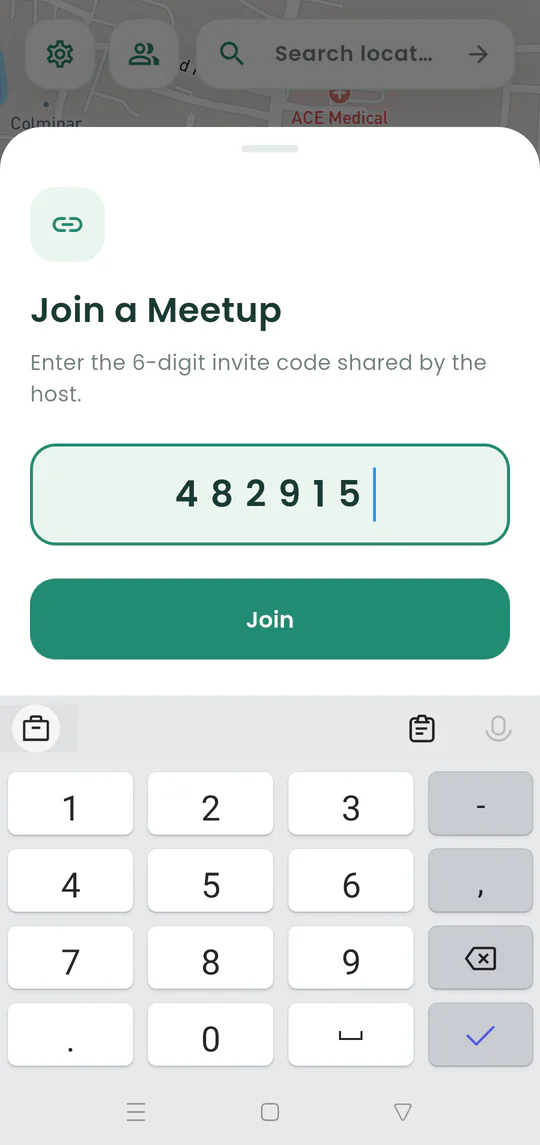
Enter the six-digit meetup code when the host shares it aloud or without the full link.
Quick answer
Tap Plan a meetup, choose Join with Code, enter all six digits from the host, and tap Join.
Walkthrough
Follow these steps
- 01
Get the current code
Ask the host for the six digits shown in Share Event.
- 02
Open the joining options
Tap Plan a meetup and choose Join with Code.
- 03
Enter all six digits
Check the order carefully because the code identifies one active meetup.
- 04
Tap Join
Nearby opens the shared destination, live map, members, and chat.

Ready to try it?
Start a meetup on Android and send one link to everyone else.