How to join with an invite link
Open a Nearby meetup invitation in the installed Android app or continue through a mobile browser.
Quick answer
Tap the link sent by the host. Open it in Nearby when the app is installed, or enter your name and choose Join on the web when using a browser.
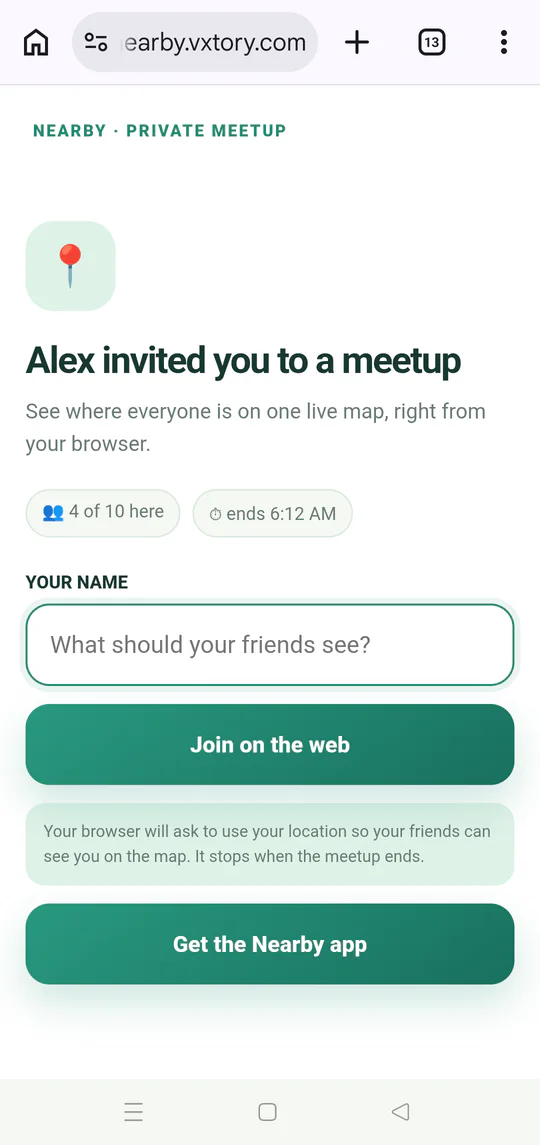
Walkthrough
Follow these steps
- 01
Open the current invitation
Tap the meetup link from your message or group chat.
- 02
Choose app or browser
Continue in Nearby on Android, or stay on the web if the app is not installed.
- 03
Enter your name when asked
Browser guests use a display name so the group knows who joined.
- 04
Choose location access
Allow location if you want your live position to appear during the meetup.

Ready to try it?
Start a meetup on Android and send one link to everyone else.