How privacy works in Nearby
Understand optional accounts, temporary location sharing, friend features, and the controls available inside the app.
Quick answer
Nearby does not require an account or phone number. Location is shared only during a meetup, can be turned off, and is not stored as a location history.
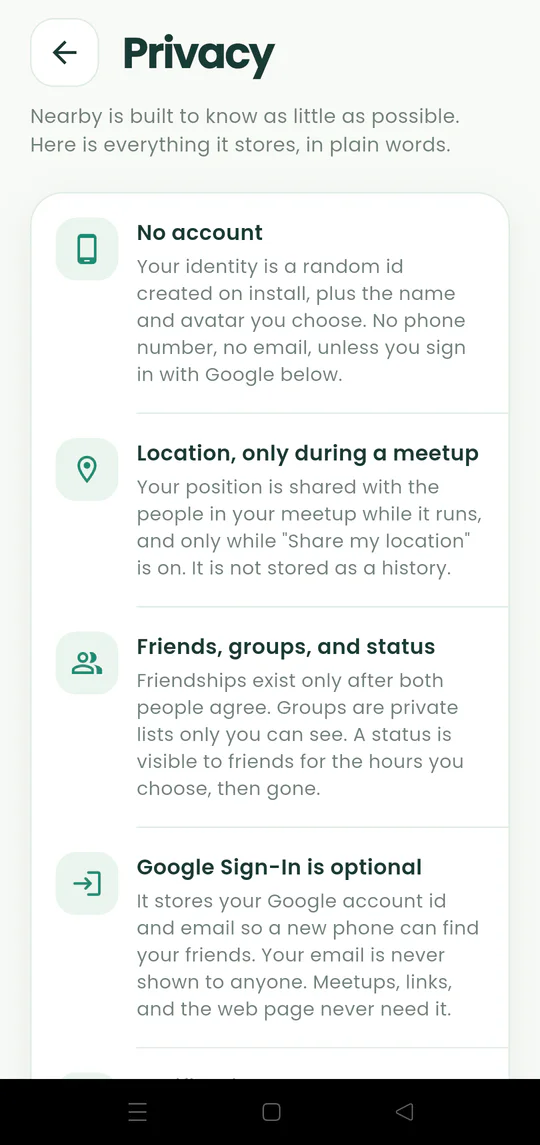
Walkthrough
Follow these steps
- 01
Open the Privacy page
Go to Settings and tap Privacy.
- 02
Review location behavior
Your position appears only in an active meetup when sharing is enabled.
- 03
Understand friend features
Friends, private groups, and statuses help with invitations but do not turn meetups into permanent tracking.
- 04
Use your controls
Turn sharing off, leave a meetup, block a request, or choose Delete My Data when needed.

Ready to try it?
Start a meetup on Android and send one link to everyone else.