How to add a friend to Nearby
Share your 24-hour friend code or scan another person’s code to send a friend request.
Quick answer
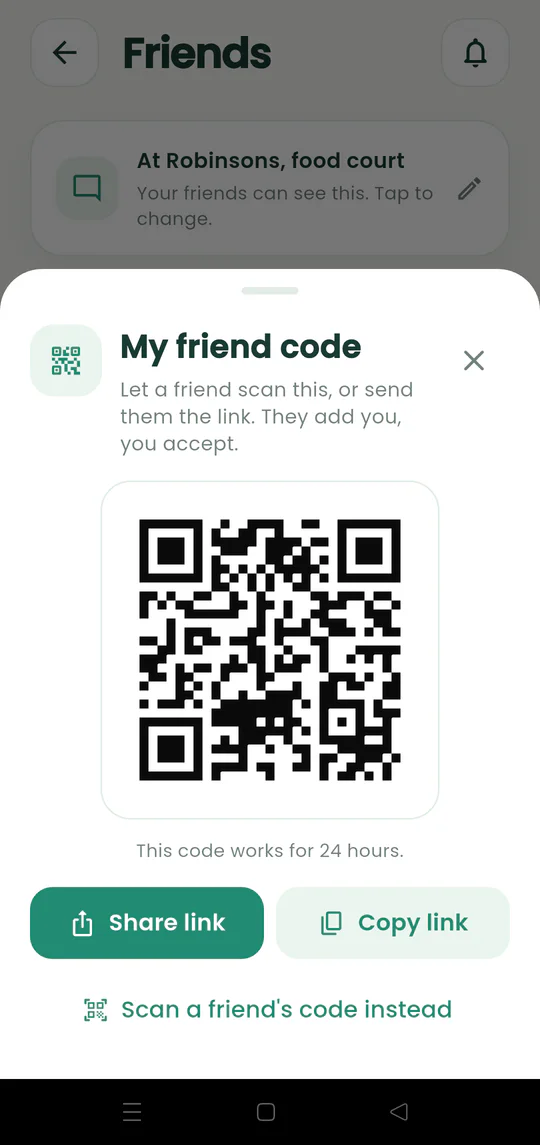
Open Friends and choose My code to show or share your friend link. The other person scans or opens it and sends a request, which you accept from the inbox.
Walkthrough
Follow these steps
- 01
Open Friends
Tap the people button on the map.
- 02
Show or share your code
Tap My code, then let the other person scan the QR code or send the friend link.
- 03
Wait for the request
Opening the code starts a friend request rather than adding someone automatically.
- 04
Accept from the inbox
Open the bell, review the request, and tap the check mark to accept.

Ready to try it?
Start a meetup on Android and send one link to everyone else.